Your second screen
A local dashboard that refreshes when you save in game. Browse without pairing first.
Keep your Sims Hub close on Android, and explore saved-game data with the desktop companion. Your plans, worlds and finished Sim ZIPs stay connected.
Android 0.6.0 beta · Android 8.0+ · no Node.js on your phone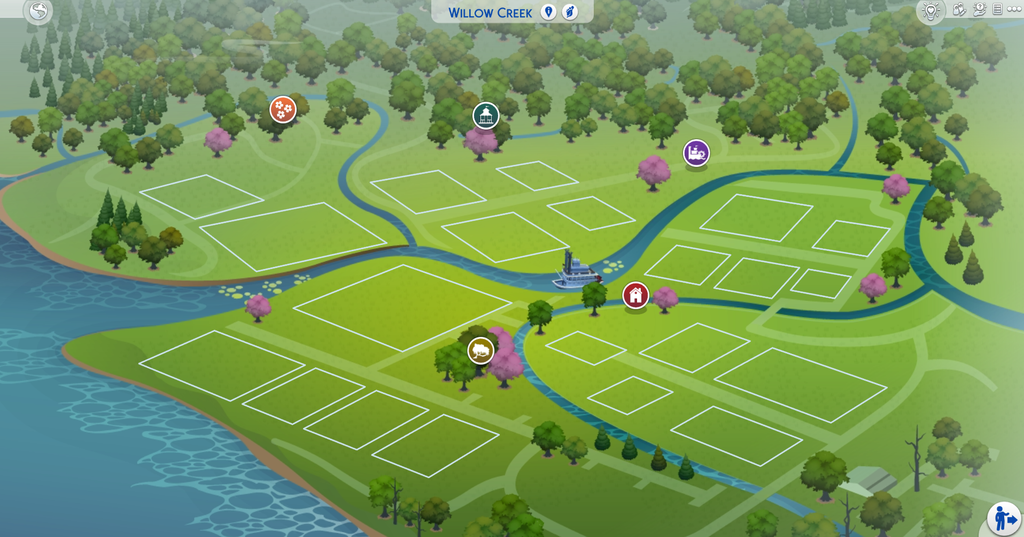
The game UI files for version 1.129.39.1030 have been reviewed. Development is continuing toward a Send to SimSync button inside EA’s Gallery; the button is not ready to install.
Close the game and run the helper on your gaming computer. It checks common locations, then asks you to confirm UI.package and GameVersion.txt.
It creates a new local ZIP with UI resources and the game version. It does not read saves or Mods, change game files, install a mod or upload anything.
If you already returned the support ZIP, give Codex the developer kit and next prompt on your Sims computer. Implementation and an in-game test are still required. Neither kit is an installable mod; the separate Bridge Gallery menu remains available.
Upload your Tray households, lots and rooms. Keep their pictures, profiles and downloadable files together in your private collection.
Open My GallerySelect Tray files or ZIPs up to 3 GB total, review your creations, then use Save all to keep their profiles, supported pictures and Tray-only downloads in one pass. Add separate original ZIPs up to 3 GB, including your CC if needed. Desktop 0.11.0 and Bridge 0.3.0 also offer a native Send to Gallery with CC picker after you save creations to My Library. Matched and manually selected CC is bundled; dependency coverage is partial.
Picture cards, household/lot/room filters, creator and tag search, favorites and detailed creation pages. Pack and CC labels are yours to review.
Open My Gallery on the site or More → My Gallery inside the app’s Connected Sims Hub. It requires internet. Files remain private; game placement is manual.
Open fuller household dossiers, see your cast together, and bring more of your Library into your save plan. Trait names take the lead when a reliable label is available.
Open Gallery & import toolsKeep official Gallery links, creator IDs and household or lot plans in SimSync. Download through EA, then import the creation’s Library files. EA account syncing and automatic Gallery downloads are not included.
Browse member cards, search your household, follow home and world links, and explore imported careers, family references, outfits and more. The same dossiers work in the Android and desktop Workshop.
Retain recorded trait and aspiration names, life stages, species, funds, supported Sim details and individual portraits. Preview import coverage and refresh existing Tray reports while keeping your plans.
Build a career concept in your Workshop, track changes to your desktop mod collection, and review files before bringing them to another computer.
Open Career builder in WorkshopEdit ranks, hourly pay and workdays. Save a draft and export an editable source ZIP, starting with a Cozy Bell Innkeeper example. These are experimental development files, not installable mods.
Desktop Organizer remembers source links, manual versions and tags. Accept a reviewed scan as your baseline, then see which files are new, changed or missing.
Copy a verified SimSync backup, compare it against your destination, and create a separate review copy. Installed files stay untouched. This portable workflow does not provide automatic LAN sync.
Read error reports on your device, keep your place in a manual mod test, and see which creator links, versions and game builds need another look.
Open the new Workshop toolsGroup repeated errors, compare reported builds and review traceback clues. HTML reports stay plain text. Export a summary without raw logs or source filenames, then review it before sharing.
A guided 50/50 planner remembers groups, results and notes. Undo a round or transfer history to the same collection. You manage the files; a final candidate still needs confirmation.
Review your CC/mod profiles and explore 12 useful projects. Each directory entry separates included code, external tools, possible additions and unresolved licenses.
A new home dashboard keeps your next steps visible. Create a collection for each save, edit your cast and builds locally, and keep tasks beside your story tools.
Search names, creators, careers and notes. Filter records, change their status, and browse every result. The old 300-record display cutoff is gone.
Plan imports show their contents and whether they replace a local collection. Export the existing copy first. Notes and pictures retain their separate exports.
Search large libraries, filter households, lots or rooms, and find creations that need review. The Hub now accepts Tray imports up to 3 GB; installed desktop and Android releases may have lower limits.
Android 0.6.0 opens with Home, Library, Planner, Tools and More. Create collections, edit local Sims and builds, track tasks, inspect Tray files, and keep story notes on your phone. Open Connected Sims Hub for your full save planner, worlds, profiles, ZIPs and game sync.
The Workshop keeps local tools on your phone. Connected Sims Hub opens inside SimSync without an address bar and needs internet plus an up-to-date compatible browser such as Chrome. Sign-in and external links can show browser controls. Optional local AI needs an initial model download.
Open the APK and choose Update if SimSync is already installed. The existing app identity is preserved. This is a direct-download beta, not a Google Play release. Keep Play Protect enabled.
Home opens first. Use Library for local profiles, Planner for tasks and Tools for Tray files and notes. Tap Connected Hub and continue with the account that owns your Hub. Use Home, Sims, Worlds, Assistant and More to reach your existing plans, pictures and ZIPs. Android Back returns to the Workshop.
The desktop companion reads and syncs your saves. Your phone reviews the received data in Game sync; it does not scan PC folders.
A local dashboard that refreshes when you save in game. Browse without pairing first.
Households, traits, aspirations, careers and the extra details supported by the save reader.
The same 31 maps as the Hub, with zoom, clickable footprints and searchable saved records.
A local activity log and JSON export. See which extracted records were added, changed or absent.
Read-only package inspection, exact duplicate groups, possible overrides and supported image previews.
Reuse the existing bridge for game-to-Hub sync. Your plans, pictures, ZIPs and save AI stay in the Hub.
Inspect Tray exports up to 3 GB, recover supported pictures and see the outfit references behind your Sims. Keep story notes on your device and bring your characters into a local casting assistant.
Group complete Tray exports, review creator details, decode supported covers and add reviewed records to your plan. Desktop Outfit CC finder follows supported CAS part and mesh references against your scanned Mods folder.
Offline notes support export and merge with visible conflicts. Android adds reference-picture capture, file sharing and play-session reminders. Local copies remain separate from connected Hub profiles.
View SimRipper OBJ exports, try optional local semantic casting, explore draggable family graphs and use the Hub’s new touch map. Interrupted ZIP uploads resume through the new tus transport.
Desktop tabs bring package inspection, save pictures, typo-tolerant search and local Sim chat into the companion. Open Integrations for setup states and project credits.
Bridge 0.3.0 opens native dialogs after a household loads. Check desktop status, browse household needs, export labels, control Live collection and choose whether it appears next time.
Sims 4 Toolkit powers package inspection and image previews. A LlamaLogic algorithm restores supported transparent JPEGs. MiniSearch helps find Sims, households, lots and packages even with a typo.
SimAI-derived context and prompts support generated roleplay using an installed local Ollama model. Optional Lot 51 Core events resume collection after loading or travel when you enable it. Neither tool controls your game.
Desktop 0.12.0 includes the full TrayTrim 0.4.0 source and export engine. Browse households, lots and rooms, review their dependencies, and export compact ZIPs with shared CC included once.
Open Tray & CC for per-Sim choices, excluded CC, resource-copy choices, batch exports and received-ZIP checks. Python 3.12+ is required on the computer.
Optional Qt setup opens the original local workspace with thumbnails, dependency impact, individual CC exports, advanced filters and history. All source and licenses are included.
Choose TrayTrim in In-game Gallery upload, prepare your saved Library and use the existing simsync.gallery menu. Current-game testing and the direct EA Gallery button are still outstanding.
See the complete feature mappingChoose your Mods folder and scan locally. Review whole-file duplicates, category hints and script/package candidates while your files stay in place.
Recursive discovery and streamed SHA-256 hashing, with progress, cancellation and clear partial results. Exact copies are review items, not automatic deletion suggestions.
Existing folders and supporting files stay grouped. Script/package stem matches are candidates. Uncertain dependencies remain unresolved.
Create a verified copy in private app storage. Restore into a new review folder without overwriting Mods. Export a summary with no filenames or paths for CC & mods in the existing Android app.
SimSync runs on the computer where your game saves live. Keep its launcher window open while you play.
Download setup guideKeep the whole folder together, outside Mods. Install Node.js 22.13 or newer if needed.
Windows: Start-Windows.cmd. On macOS, run Start-macOS.command or node app.mjs in Terminal.
Use the detected list, Browse, or paste a full save path. Explore locally, then open Connection to pair with your Hub.
See the current household, selected Sim, lot and supported needs in the desktop app and on your phone. Live observations stay separate from your plans.
Live setup and test guidePlace both included SimSyncBridge.ts4script and SimSyncLive.ts4script in Mods/SimSyncBridge. Replace old copies, enable script mods and restart.
After loading, use the SimSync panel’s Live controls. Reopen it with simsync.panel. If it does not appear, enter simsync.bridge_ping and check desktop Live diagnostics.
Pair the save and select Share live with Hub. On Android, open More → Game sync & Live. Game compatibility is still awaiting a real game test.
Current release notes & feature status · Workshop guide · Open-source credits
Android 0.6.0 bundles the new workspace with editable local records, task planning, troubleshooting, mod reviews, searchable libraries, Tray inspection, pictures, offline notes, model viewing, optional local casting AI and native sharing. The complete connected Hub opens in its existing verified full-screen activity and requires internet. This is a signed update using the same app identity. Installation, permissions, sharing, reminders, Hub handoff and Back still need a physical-device test. Local AI downloads and inference also need device testing.
The desktop app reads saved data, and the new optional Live mod exports current household and lot observations without saving. Live requires an in-game compatibility test. Neither stream writes back to your game. The package and mod inventory checks cannot certify compatibility. Mod-library backups and separate-copy restores retain their existing workflow. Maps show catalog locations; your customized builds and assignments stay in the Hub.
Bridge 0.3.0 includes a native in-game panel after loading a household, with status, household details, export controls and settings. Live 0.2.0 adds optional Core events and richer character context. Automated tests use mocked game APIs; native dialog layout and current-patch compatibility still need a real game test. Desktop character chat needs a local Ollama model. Native Sims phone integration and game-control tools are not included.
Unofficial fan app, not affiliated with EA or Maxis. World map artwork © EA / Maxis; sources are credited inside the app and Sims Hub. Your private Hub records and uploads retain their existing access.